What to Look for in a Content Brief Tool

Most people shopping for a content brief tool are actually shopping for two different things and don’t realise it. The result is buying decisions that look reasonable on a feature comparison and produce briefs that don’t help writers rank.
This isn’t a product recommendation post. It’s an evaluation framework. Use it on any tool, including this one.
Two things a brief tool actually does (and why most people conflate them)
A brief tool does two jobs. They look like one job from the outside.
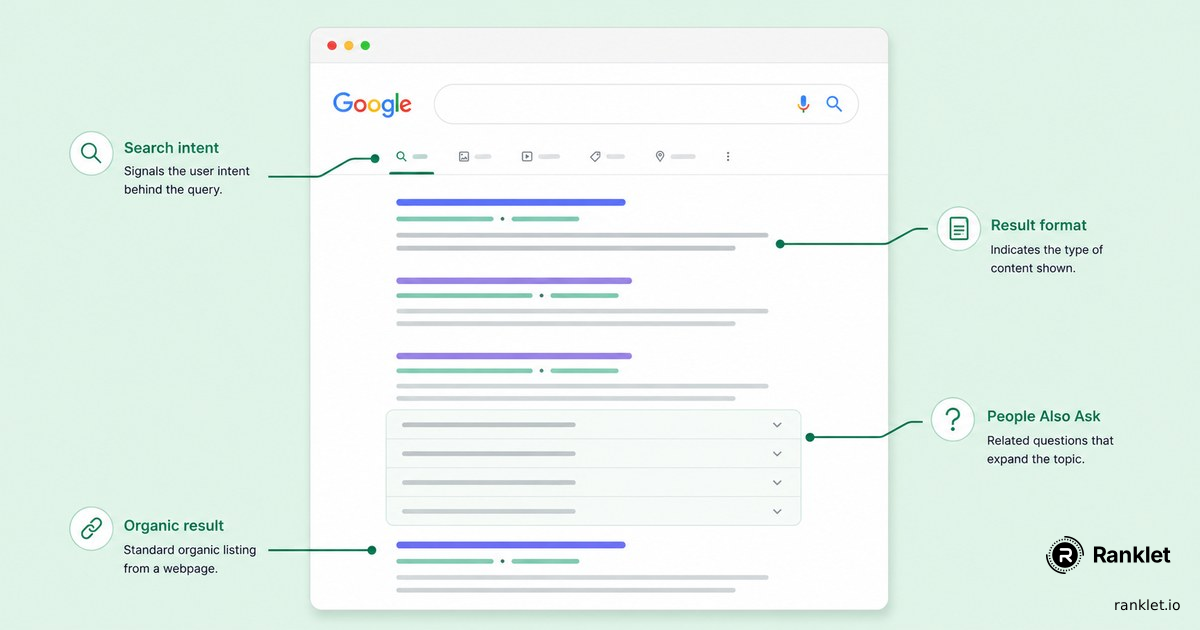
Job one: SERP research. Pulling the live top 10 for the keyword, the People Also Ask cluster, related searches, the format mix, median word count, intent signals. This is the raw material.
Job two: Structured output. Turning that raw material into a brief that a writer can use without further translation: outline with section-level guidance, search intent labelled clearly, word count tied to median ranking length, differentiation angle, meta description, the works.
The conflation matters because tools are uneven across the two jobs. A tool can do excellent SERP research and produce a structurally weak brief. A tool can produce a beautifully formatted brief from stale or AI-hallucinated data. Both outcomes are common and both are failures, in different ways.
If you don’t separate the two when you’re evaluating, you’ll buy on the visible job (output quality) and discover later that the invisible job (data quality) is the one that decides whether your writers produce ranking content.
Where does the data come from? Live SERPs vs cached vs AI hallucination
This is the question that matters most and the one that almost nobody asks during a demo.
Three sources are common:
- Live SERPs. The tool fetches the current top 10 (and PAA, related searches) at the moment you generate the brief. This is the only source that reflects what Google rewards today.
- Cached SERPs. The tool refreshes a centrally cached SERP for your keyword on some schedule: sometimes daily, sometimes weekly, sometimes “occasionally.” If the cache is fresh, this is fine. If it isn’t, you’re optimising for last quarter’s SERP without knowing it.
- AI hallucination, no SERP fetch. The tool generates a brief by asking an LLM what should be in it, without grounding the output in a live search. This produces briefs that look credible and have no relationship to what’s currently ranking.
Ask the question directly during a trial: “when I generate this brief, are you running a live Google search right now, or are you using cached data, or is this generated purely from a language model?” If the answer isn’t immediate and specific, the answer is probably the third one.
Live SERP data matters more than most tools admit, and the difference shows up in rankings within a quarter, not in the brief itself.
What “structured output” means in practice, and why consistency matters
A brief is a document a writer hands off. The single most important property of that document, after the data being correct, is that the writer can use it without translating it first.
Concretely, that means:
- Every brief has the same sections in the same order. Writers learn the format once and never re-learn it.
- Each section has a clear purpose. Search intent is one section. Word count is one section. Outline is one section. Nothing is collapsed into a “notes” field.
- Section-level guidance is present. The outline doesn’t just say “H2: What is X.” It says “H2: What is X: definitional, 80 words, no preamble.”
- Length is bounded. A brief that’s 6,000 words long isn’t a brief; it’s a research dump that the writer now has to compress.
The shape we settled on at Ranklet is 12 sections. Other shapes work (8 sections, 15 sections), but the consistency is what makes the document useful. If your tool generates a different shape every time depending on the keyword, your writers are paying the consistency tax.
The brief quality checklist: 8 questions to ask before you commit
Run any candidate tool through these eight questions during the trial. If half of them get vague answers, keep looking.
- Where does the SERP data come from? Live fetch, cache, or model-only.
- How fresh is the data at generation time? “Live” is the right answer. “Updated daily” is acceptable for stable topics. Anything older is a yellow flag.
- What’s the brief structure? Should be the same every time, regardless of keyword. Variable structure is a red flag.
- Does each outline section come with guidance? Headings alone aren’t enough; each H2 should have a one-line note on what the section is supposed to accomplish.
- Is the word count tied to live ranking data? “Calibrated from the current top 10” is right. “Industry average” or “best practice ranges” is a guess.
- What happens when generation fails? There should be a real answer. Refund the credit, retry button, error context. “It rarely fails” is not a real answer.
- Can I export the brief cleanly? Markdown, PDF, or copy-paste into Google Docs. If the brief is locked inside a proprietary UI, every brief becomes a manual translation job.
- Is the pricing tied to briefs, seats, or something weirder? Per-brief pricing makes overage costs predictable. Seat-based with usage caps inside the seat is where people get surprised on the invoice.
Turnaround time: when speed matters and when it doesn’t
Turnaround matters when you’re using briefs in the moment: keyword surfaces, you brief, you write. It matters less when briefs are batched against an editorial calendar.
A reasonable threshold: under 30 seconds is “live.” Under 5 minutes is “fast batch.” Anything longer than 10 minutes is enough delay that the workflow shifts from interactive to queue-based.
The sub-30-second range matters most for solo writers who treat the brief as the first step of writing, not a separate phase. If you’re handing briefs to a team and the writer touches the brief tomorrow, 5 minutes is fine.
(For reference, Ranklet generates a 12-section brief in under 30 seconds, but if your workflow can tolerate batch processing, that single feature isn’t a deal-breaker on its own.)
Failure handling: what happens when a brief doesn’t generate
Briefs fail. Upstream APIs time out, model providers throttle, keywords return weird data. The failure rate at any honest brief tool is non-zero.
What matters is what happens when it does:
- Is the credit you spent automatically refunded? If you have to email support to get a single brief refunded, the support cost on both sides exceeds the brief cost.
- Is there a retry button? Most failures are transient, and a retry within the hour usually works.
- Do you see what went wrong? Even a generic “upstream timeout” is better than a silent failure that just shows a half-broken brief.
A tool that doesn’t refund credits on failure is a tool that’s been deliberately structured to capture the failure-mode revenue. That’s a values signal, not just a feature gap.
Pricing models explained: per-brief, seats, monthly credits, overage packs
Four common pricing models. Each has a different failure mode to watch for.
- Per-brief. Pay per generated brief, no subscription. Pro: predictable; pay only for what you use. Con: tooling assumes you’re using it occasionally, which is often a feature-tier downgrade.
- Monthly credits (the common SaaS shape). Subscribe at a tier that includes N briefs per month, with overage packs for additional usage. Pro: predictable for steady output; aligns with how teams actually work. Con: any unused credits in a month are lost, so the right tier matters.
- Per-seat. Pay per user, briefs included up to some cap. Pro: scales with team size. Con: usage caps inside the seat often surprise people on the invoice.
- Unlimited. A small number of tools advertise unlimited briefs at a flat rate. Pro: simple. Con: the “unlimited” is almost always rate-limited or quality-throttled at the upper end; verify with a trial.
The honest match for most content teams is monthly credits with overage packs available: predictable baseline, escape hatch for busy months. (Ranklet’s shape is exactly this; see Ranklet’s pricing, 3 free briefs with no credit card.)
Questions to ask during a free trial
During the trial, do three things:
- Generate a brief for a keyword you already understand deeply. Compare the tool’s output against what you’d write by hand. Mismatch points show you where the tool’s data or structure breaks down.
- Generate a brief for a keyword in a niche you don’t know. Then check the live SERP yourself. Does the brief’s intent call match what’s actually ranking? Does the word count target match the median you’d estimate?
- Deliberately give it a weird input: a misspelling, a very long-tail query, an extremely competitive head term. How does it handle the edge case? Failure modes show you what to expect under real usage.
The free trial is the only chance you get to evaluate the tool against your actual workflow. Use it for what it’s for. If the tool doesn’t survive these three tests, the paid plan won’t either.
Related reading
Building a Content Brief Tool in Public
What we learned shipping the first version of Ranklet: what held, what broke, and what we'd do differently if we started today.

AI Content Briefs: Where They Help, Where They Don't
AI briefs are only as good as the data behind them. Here's an honest breakdown of where AI-generated content briefs help and where they fall short.
What Is SERP Analysis (And Why It Shapes Every Brief)
SERP analysis tells you what Google thinks ranks for your keyword. Here's what it covers, why most briefs skip it, and how to do it without a pricey suite.